Building easyACR: an accessibility scanner for agents
My neighbor Christopher and I built a WebMCP accessibility tool for the WebMCP Challenge, and fought to keep it from lying about what it knows.
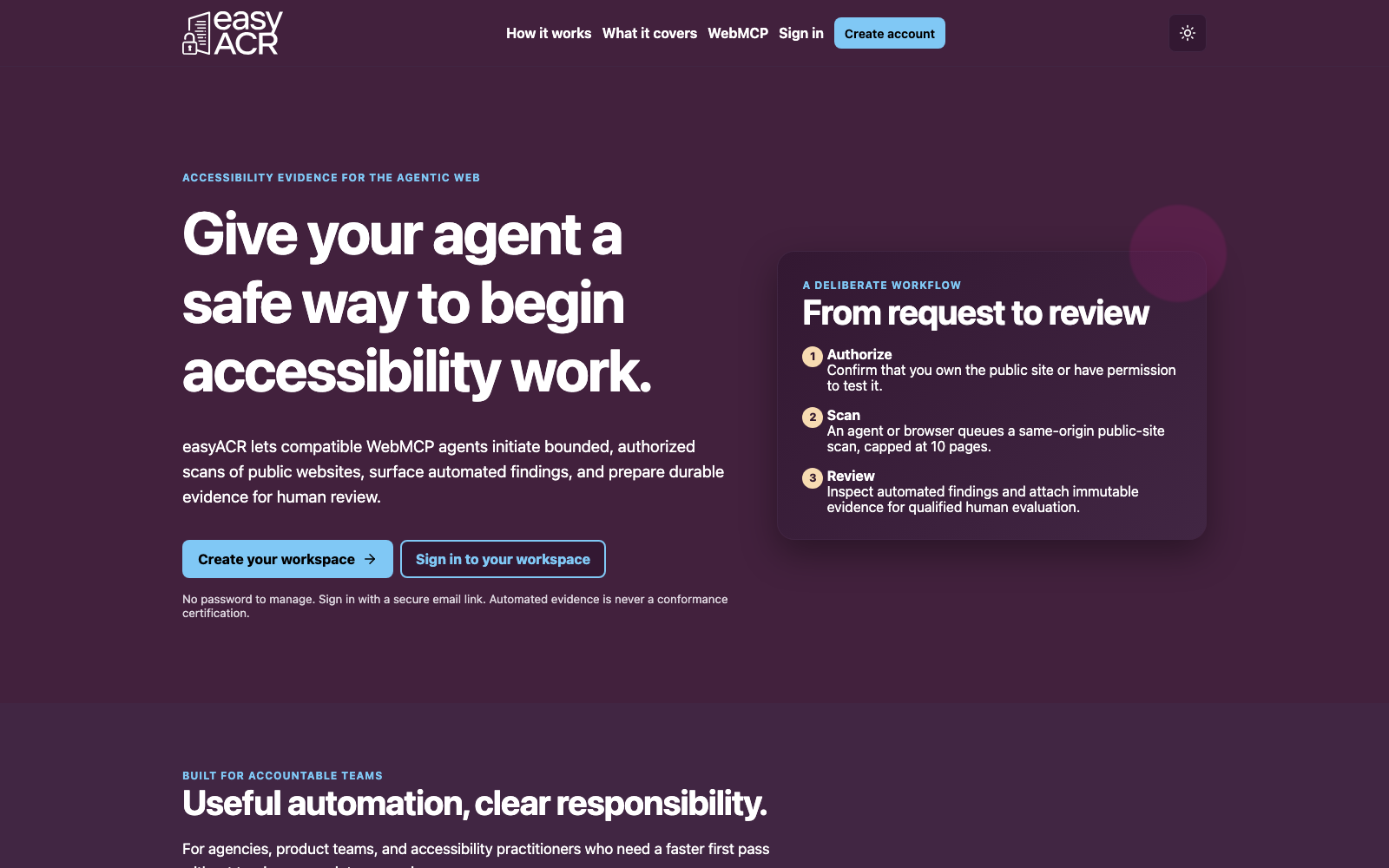
I paste a URL into most accessibility scanners, wait, and get back a report I have to read line by line to figure out what actually matters. Ask an AI agent to do that same job and it doesn't get easier, it gets worse. The agent has to pretend to be me: scrape the page, guess at what a form field is for, hope the report layout hasn't changed since it last saw one.
I wanted to try the opposite. Give the agent real tools, not a page to fake its way through. That's easyACR, live now at easyacr.com, and it's what I built for the WebMCP Challenge.
I didn't build it alone. Christopher Hincks lives down the street from me, and it turns out he's spent almost thirty years running accessibility and WCAG 2.2 AA practice at the design-org level, most recently as Principal Product Designer at Sectigo, before that at OpenText and Zix. Once I knew that, building an accessibility tool without him felt like a waste of a good neighbor. He's the reason this thing knows what it doesn't know.
What WebMCP actually is
WebMCP is what happens when a web page can hand an agent real tools instead of a wall of HTML to interpret. A page registers functions straight into the browser with document.modelContext.registerTool(), and an agent in that same session, ChatGPT's in-app browser, or Chrome with the flag on, can see them and call them the way it would call any MCP tool. No scraping. No screen-reading. No guessing which div is actually the submit button.
For something like accessibility scanning, that's a real unlock. A person still has to authorize the target, accept the terms, and own the result. But the grunt work underneath, start a scan, check on it, read the findings, package up the evidence, is exactly what an agent is good at and what a human tends to do sloppily on the fourth pass of the day.
What we built
Once you're signed in and you've accepted the terms on the /tools page, easyACR hands your agent four tools:
start_accessibility_scan, kicks off a bounded, same-origin scan of a public HTTPS siteget-scan-status, checks in until the job is done or partiallist_accessibility_issues, reads back the findings, page by pagecreate_draft_acr, turns the scan into a WCAG 2.2 draft-evidence attachment
None of that runs on some looser, agent-only fast lane. Every call lands on the same server-checked API the plain browser form uses, and the server rechecks session, terms, quota, and target safety no matter who's asking. That was non-negotiable for us. If a step isn't safe enough for a person to click through unsupervised, it isn't safe enough for an agent to call either.
Underneath, it's Supabase handling passwordless magic-link sign-in, Postgres holding durable scan jobs and findings, row-level security, and a daily scan quota per person. Scans stop at ten pages, same-origin, public HTTPS only. We don't take credentials, ever, which also means we can't touch anything behind a login yet. That's a real gap, not a footnote we're hoping you skim past.
A deadline is a good editor
Building against the WebMCP Challenge clock made me cut things I'd have kept on a longer timeline, and honestly, that was good for the product. Ship the smallest thing that proves the idea, not the biggest thing that looks good on a landing page. So the public surface is small on purpose: the landing page, the WebMCP tools, scans you can watch happen, the legal fine print. No billing, no teams, no scheduling. Anything we didn't build yet just says so, instead of faking a feature that isn't there.
The judge walkthrough is the same path any real user takes. Open /tools, sign in with a magic link, accept the terms, watch the page confirm four tools registered, point it at a site you're allowed to scan, and generate the draft evidence. No WebMCP support in your browser? The visible fallback form runs the exact same checks. We weren't willing to ship a demo that only worked for the three people with an experimental flag turned on.
The line we won't cross
Here's the part that mattered more to me than any of the code, and the part Christopher genuinely would not budge on: easyACR does not certify accessibility conformance. It doesn't produce a finished ACR. It's not legal advice, and we say so everywhere, the tools page, the judge notes, the build docs. Automated scanning finds real problems. It also misses things a screen reader user or a trained auditor would catch in ten seconds flat. A tool that blurs that line to look more impressive is worse than no tool at all, and Christopher has seen enough badly-scoped accessibility claims in his career to be unforgiving about it.
So what you get is automated findings and a WCAG 2.2 draft evidence attachment, clearly labeled as needing a real human to review it before it means anything. No score. No green checkmark. No badge for your footer. Just evidence a reviewer can actually start from instead of a blank page.
Try it today
easyACR is in public beta at easyacr.com right now, and there's nothing gated behind a waitlist. Here's the whole path:
- Go to app.easyacr.com/tools and hit "Create your workspace."
- Drop in an email you control. No password, just a magic link.
- Accept the scan terms. The page will confirm your agent found four registered WebMCP tools.
- Point it at a public HTTPS site you're authorized to test, up to ten pages, and run the scan.
- Pull the findings and generate the WCAG 2.2 draft evidence attachment when it's done.
If your browser doesn't support WebMCP yet, that's fine. Chrome with the flag on and ChatGPT's in-app browser both work today, and everyone else gets the identical workflow through the visible browser form on the same page. Same checks, same output, no downgrade.
From here I'm watching two things: whether WebMCP catches on fast enough that the agent path stops being the exception, and whether "evidence for a human, not a certificate" still feels like the right amount of tool once actual users start asking for more. I'd rather find out from people using it than from guessing.
If you're building anything on WebMCP, or you've got an opinion on where agent-authorized tools beat an agent scraping its way through your site, I'd genuinely like to hear it.